
Day.News — Local News. Real Community.
WEST SACRAMENTO DAY NEWS
Local News. Real Community.
general

Automated Firearms System Personal Information Update

HA
Harvey WaldenCommunity Member
1 week ago

Automated Firearms System Personal Information Update | State of California - Department of Justice - Office of the Attorney General

Automated Firearms System Personal Information Update | State of California - Department of Justice - Office of the Attorney General Skip to main content Automated Firearms System Personal Information Update Home Firearms Automated Firearms System Personal Information Update The Automated Firearms System is a repository of firearm records maintained by the Department, as established by Penal Code section 11106. The Automated Firearms System is populated by way of firearm purchases or transfers at a California licensed firearm dealer, registration of assault weapons (during specified registration periods), an individual’s report of firearm ownership to the Department, Carry Concealed Weapons Permit records, or records entered by law enforcement agencies. Commencing July 1, 2019, an individual will have the ability to electronically update one or more Automated Firearms System records through the California Firearms Application Reporting System (CFARS) to match his or her current name, date of birth, address, and California Driver License, California Identification Card, or Military Identification Number. Maintaining accurate personal information within the Automated Firearm System is critical if you plan to purchase ammunition by meeting the eligibility requirements established by Penal Code section 30370, subdivisions (c) and (d). If the information that is provided to the ammunition vendor does not match an entry in the Automated Firearms System database, the transaction must be denied. As such, it is important to ensure records are accurate. How do I update my Automated Firearm System record? To update your personal information on a record in the Automated Firearms System, log into your CFARS account, click on “Automated Firearms System (AFS) Personal Information Update,” and follow the instructions. If you do not have a CFARS account, you may create one by visiting https://cfars.doj.ca.gov. What information is needed to update an Automated Firearm System record? Current personal information. Full Name, Date of Birth, Residential Address, California Driver License/Identification Card Number, or Military Identification Number/Department of Defense Identification Number. Personal information at time of firearm purchase. Exact personal information as it was recorded on your Dealer Record of Sale or other firearms ownership record. Firearm currently recorded in your name. Type, Make, Model, Caliber and Serial Number information of one or more firearms currently recorded in the Automated Firearms System. Verifying documentation. If you are changing your name, date of birth, identification type or identification number, you must upload documents verifying the change. These documents require review and approval by the Department before changes can be updated on your record. Depending on what personal information will be updated, the following verification documents may be required: California Driver License/Identification Card Note: If you uploaded your military identification and active duty station orders and do not have a California driver license or identification card, you may upload your military identification card again. Marriage License Endorsed court order regarding restoration of former name Endorsed court order regarding name change Birth Certificate Military Orders Please refer to the Automated Firearms System Information Update Regulations for more information. Is there a fee associated with updating an Automated Firearm System record? There is no fee for updating your record. What can I expect after submission of the Automated Firearms System Personal Information Update request? Once your submission has been processed, the Department will send an email to the email address on file to let you know the status of your submission or to advise you to log on to CFARS to review notices from the Department. What if I don’t know the exact personal information or firearms information that was used when I purchased or transferred my firearm? You can request to obtain information on all firearms for which you are listed as the purchaser, transferee, or owner in the State of California. Based on the personal information you provide, the Department will conduct a diligent search of the Automated Firearms System and will provide you with the listing via mail. Once you receive the listing, you can reference the personal and firearm information that was recorded at the time the firearm was purchased or transferred. Thereafter, you can use the information to update your Automated Firearm System record. The Automated Firearms System Request for Firearm Records (BOF 053) application can be located at https://oag.ca.gov/firearms/forms. I know I have an Automated Firearms System record but I am not sure if my personal information is current. May I submit a new Firearm Ownership Report instead of updating my Automated Firearm System record? No. The Department will not process firearm ownership reports for firearms that are already recorded in your name. What if I don’t have a firearm record in the Automated Firearm System and I want to purchase ammunition? For more information about how you can meet the requirements to purchase ammunition without having an Automated Firearms System record, please visit the Ammunition Purchase Authorization webpage.
Spread the word

Comments (0)

Log in to join the conversation.

No comments yet. Be the first to share your thoughts.

Keep Reading

Related Announcements

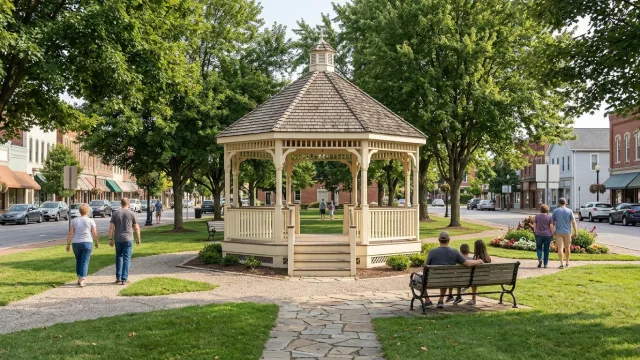
Town green with a gazebo
general
HAHarvey Walden
2 weeks ago

Receive Mail & Packages

Receive Mail & Packages Enter a USPS Tracking® number in the search box to check the status of a package. Track Your Package Enter up to 35 Tracking Numbers Going out of town or want to change where your mail is delivered? Learn about all the ways to handle your incoming USPS® mail and packages and choose the best option. Get Informed Delivery Now both business and personal accounts can preview images* of mail and manage incoming packages on one dashboard without entering tracking numbers. From the Informed Delivery® dashboard, you can also sign up for text or email notifications, schedule delivery alerts, request Redelivery, enter USPS Delivery Instructions®, and more. USPS Electronic Signature Online Informed Delivery for personal accounts includes USPS Electronic Signature Online® (USPS eSOL®), a feature that allows you to digitally sign for incoming packages that require a signature including Priority Mail Express®, Signature Confirmation™, and those insured for $500 or more. USPS carriers will leave your packages in your mailbox or at your preferred delivery location if they are too large to fit in your mailbox. Get Started Nowwith Informed Delivery *NOTE: Black and white (grayscale) images show the front of the outside of letter-sized envelopes and mailpieces that are processed through USPS® automated equipment. Take Charge of Your Deliveries The Informed Delivery® Mobile app has features designed to enhance your experience. Download the app today. Simple Ways to Manage Your Mail Expand All Standard Forward Mail & Change of Address USPS is taking steps to increase security, combat identity theft, and further protect our customers' information. When you submit a change of address request online, you need to take additional steps to verify your identity: Opt in online to receive a verification code or link on your mobile phone OR go to a Post Office™ location with an acceptable photo ID to complete the identity verification process in person. Pay the $1.25 identity verification fee. After your change of address request is approved, you'll get confirmation as well as instant access to valuable coupons provided by third-party retailers in your area. Your change of address request lasts for 12 months, but you can pay to extend it for 6, 12, or 18 more months. Learn More about changing your address. Premium Forwarding Mail Taking a long vacation or an out-of-town assignment? For a weekly fee, you can have most mail sent to you each week with our Premium Forwarding Service Residential®. The temporary service is available for periods as short as 2 weeks and up to 1 year. Learn More about Premium Forwarding Service Residential Start Premium Forwarding USPS Package Intercept With USPS Package Intercept® service, the sender (or authorized representative) can redirect domestic packages, letters, and flats with a tracking or extra services barcode as long as the items have not yet been delivered or released for delivery. Retail Senders: You can request to have a shipment redirected back to your address or to a Post Office location as Hold For Pickup. Learn More Commercial Senders: Through Business Customer Gateway, you can request to have a shipment redirected back to your address, to a new delivery address, or to a Post Office location as Hold For Pickup. Learn More Redirect a Retail Package Reserve a PO Box Want to separate home and business mail or keep your address private? Reserving a PO Box™ is a great way to get your mail when and where you want it. PO Boxes are available in a range of costs and sizes. Just find one online near you, complete the application, pay with a credit card, and bring the printed form, your emailed receipt, and two IDs to the Post Office. Reserve a PO Box USPS Hold Mail If you're going out of town for a while, you can submit a USPS Hold Mail® request online and we'll keep your mail safely at your local Post Office until you return. You can schedule the service for a minimum of 3 days and a maximum of 30 days in advance of your date or by 2 AM CST (Mon.–Sat.) on the start date. For enhanced security, USPS now requires you to create or sign in to your USPS.com account to verify your identity and current address before submitting a new online USPS Hold Mail request. Learn More about USPS Hold Mail service Hold Your Mail Hold For Pickup Whether you’re shipping from a retail store or printing your own shipping label with postage, you can always elect to Hold For Pickup. Hold For Pickup allows the recipient to collect a package at the local Post Office. Get Started with Hold For Pickup Schedule Redelivery Service If we missed you when we tried to deliver your package or mail, you can get it redelivered by making a request online. Use the tracking barcode for your item and schedule Redelivery on a day that's more convenient for you. In select markets, recipients can also schedule Redelivery to a USPS® Smart Locker. If you have your tracking number, you can also schedule Redelivery via USPS Tracking®. Schedule a Redelivery USPS Delivery Instructions* If your package doesn’t fit in your mailbox and you won’t be home to receive it, you can provide USPS Delivery Instructions online and authorize your carrier to leave it in a specified location. Just track your package and select “Delivery Instructions.” You can request that your package be left with a neighbor or held at a Post Office for pickup. For the cost of additional postage, you can have your package sent to a different domestic address. You can also change your shipping service option, upgrading to Priority Mail Express® service or Priority Mail® service, as well as add insurance and extra services.** * Service is only available for packages sent domestically.** Not available for packages sent to APO/FPO/DPO addresses. Other restrictions may apply. Get Started with Delivery Instructions for your package

00
Community Guidelines
  • Share local celebrations and life transitions.
  • Maintain a respectful and supportive tone.
  • Verify event details before posting.
  • No commercial advertising in announcements.
Upcoming Local Events
Oct06

Library Board of Trustees

West Sacramento Community Center
Oct10

Tri-City Chili Peppers

Sutter Health Park
Oct10

Layers of Experience: Palimpsest Workshop (October)

Local Venue
Apr05

Athletics vs. Chicago Cubs

Sutter Health Park
Apr06

Athletics vs. Chicago Cubs

Sutter Health Park

Celebrate Together

Sharing announcements helps build a stronger, more connected community.

Post Yours

Have a milestone to share with your community? Let everyone know.

Create Announcement